Fintech · Mobile app · Wallet & payments · iOS and Android
Blink
A mobile wallet that lets people in Algeria pay, send and get cash, with or without a bank account.
- Role
- Product designer: user flows, wireframes, UI
- Company
- RipenApps (client project)
- Market
- Algeria
- Year
- Launched 2022
- Platform
- Mobile app
Blink is an everyday payments app for a cash-heavy market where many people have no bank account. Users sign up with a phone number and ID, add money, then send to contacts, pay bills, scan a QR to pay a merchant, or reach a nearby agent to turn digital balance back into cash. I designed it around three fintech fundamentals: trust, speed and clarity.

In Algeria, a lot of people don’t have a bank account, and the economy runs on cash.
Most wallet apps assume you can top up from a bank. But if you don’t have a bank account, that door is closed before you start. And even people who do go digital still need physical cash for everyday life.
The client’s brief was to build a wallet that works for both:
- Let people add and hold money without needing a bank account.
- Let them pay, send and receive digitally.
- Let them turn digital balance back into cash when they need it.
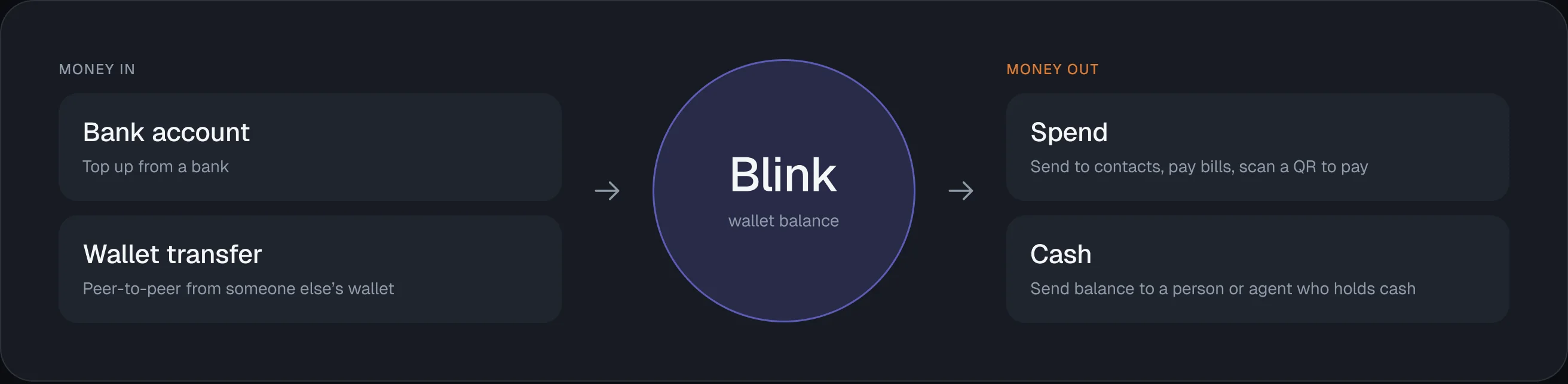
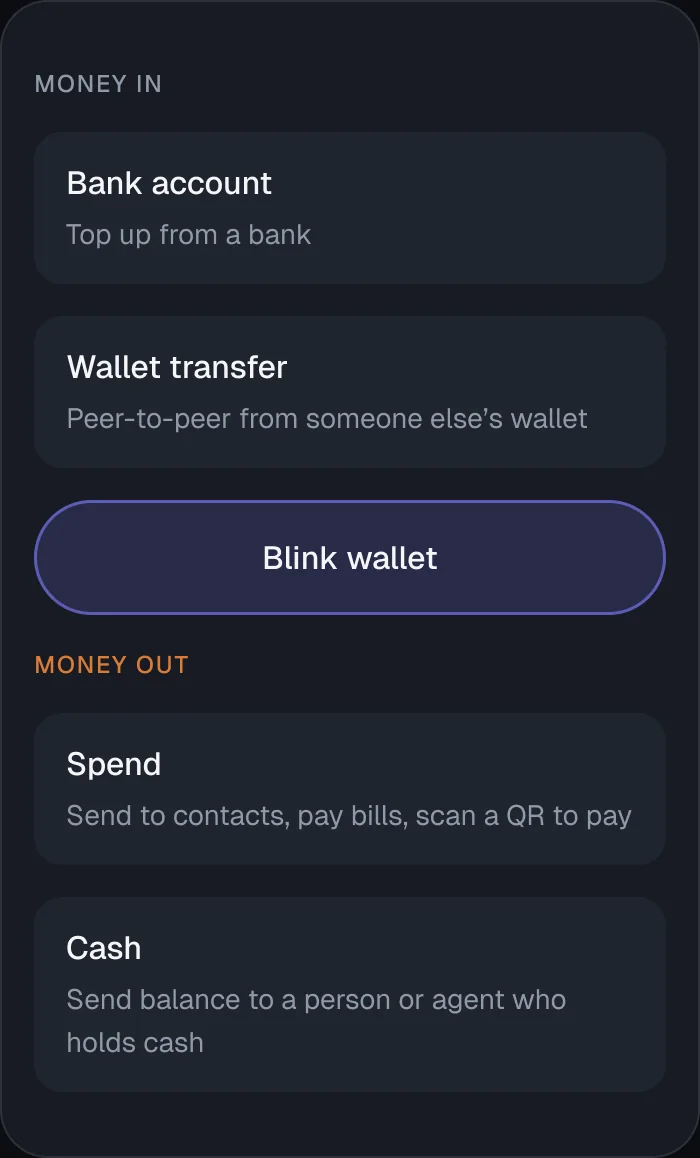
The insight: money can enter Blink two ways: from a bank account, or peer-to-peer from someone else’s wallet. So a person with no bank can receive money into their wallet and spend it, and anyone can get cash by sending balance to a person or agent who holds cash. Blink bridges digital money and the cash economy in both directions.
Everyday people in Algeria who need to move money simply, banked or not.

- 01People without a bank accountA way to hold, receive and spend money digitally without ever touching a bank
- 02People who use cash dailyPay merchants and bills from their phone, and still get physical cash when they need it
- 03AgentsAct as cash points: take in or hand out cash in exchange for Blink balance
I was the designer on Blink, working solo on the design within a wider team.
- Competitive research into existing payment and wallet apps
- User flows for signup, adding money, sending, paying and cashing out
- Wireframes for every screen
- The full UI, including the edge-case and error states
The client wanted an app that was simple enough for first-time digital-money users, and modern enough not to feel like a dated banking app.

- 01Research
- 02Flows
- 03Wireframes
- 04UI
I studied the wallet and payment apps already used in Algeria to see what worked and where the gaps were.
Apps I looked at: Buddy Mob, Go Super Wallet Algeria, Wimpay, BNA, Chargely, Mizania Pay and Office Pay.
Studying them showed me the patterns Algerian users already understood, and where those apps fell short, especially for people without a bank account. That shaped two things: keeping flows familiar enough to feel natural, and making sure Blink could onboard and fund users who had no bank at all.
It also reframed the problem for me: the money pain points here (wanting things clear, safe and quick) are the same ones people have anywhere. That let me design with real empathy for a market I wasn’t from.
I built every decision around three things that matter most in fintech: trust, speed and clarity.
Trust: No Hidden Fees, Protected Actions
- Problem
- People won’t move money through an app they don’t trust, especially first-time digital-money users.
- Decision
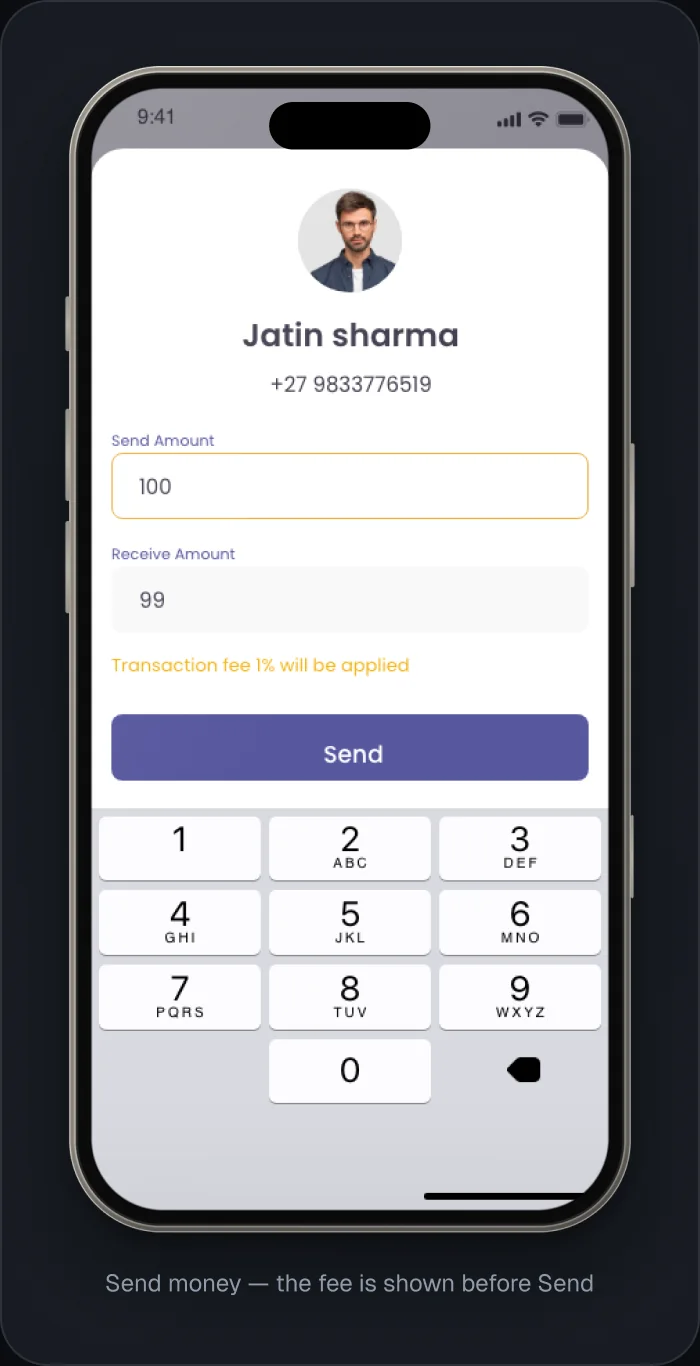
- Fees are never hidden. Before you confirm sending 1,000, the screen shows the receiver gets 990 after the 1% fee. Sensitive actions are gated: changing your mobile number needs your PIN, and changing your PIN needs an OTP.
- Why
- The user always knows exactly what will happen to their money before they commit, and their account is hard to hijack.

Speed: Fast In, One Tap to Pay
- Problem
- Everyday payments have to be quick, or people fall back to cash.
- Decision
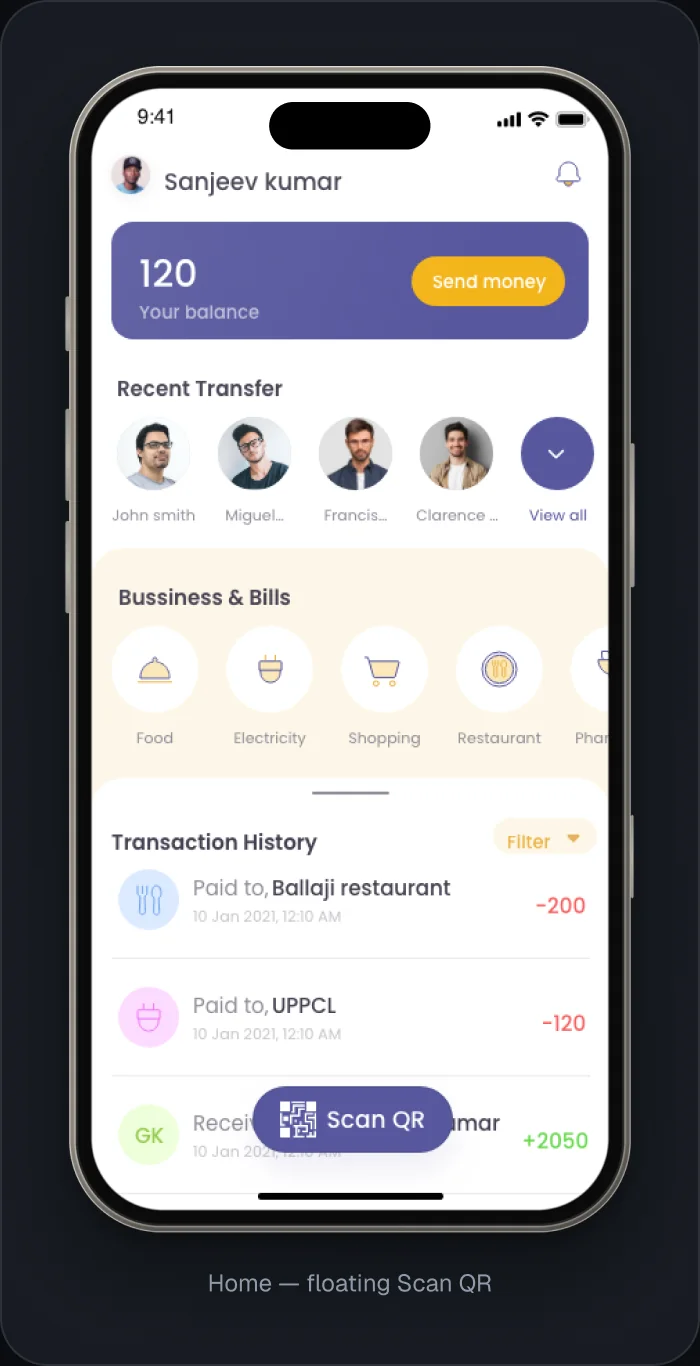
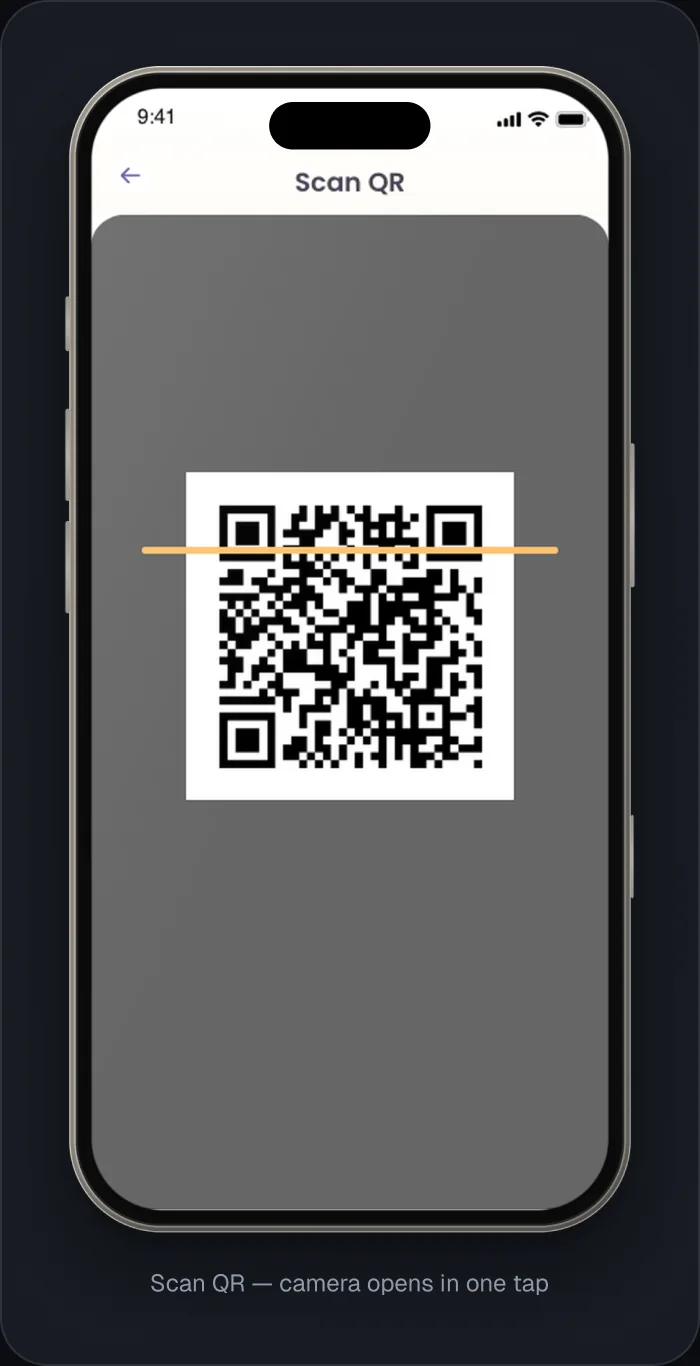
- Login is a single four-digit PIN. Scan QR lives on the home screen as a floating button, one tap away.
- Why
- Paying a merchant takes seconds, so the app is faster than digging for cash.

Clarity: Every Action Has a Clear End State
- Problem
- With money, uncertainty is stressful. “Did it go through?” can’t be left open.
- Decision
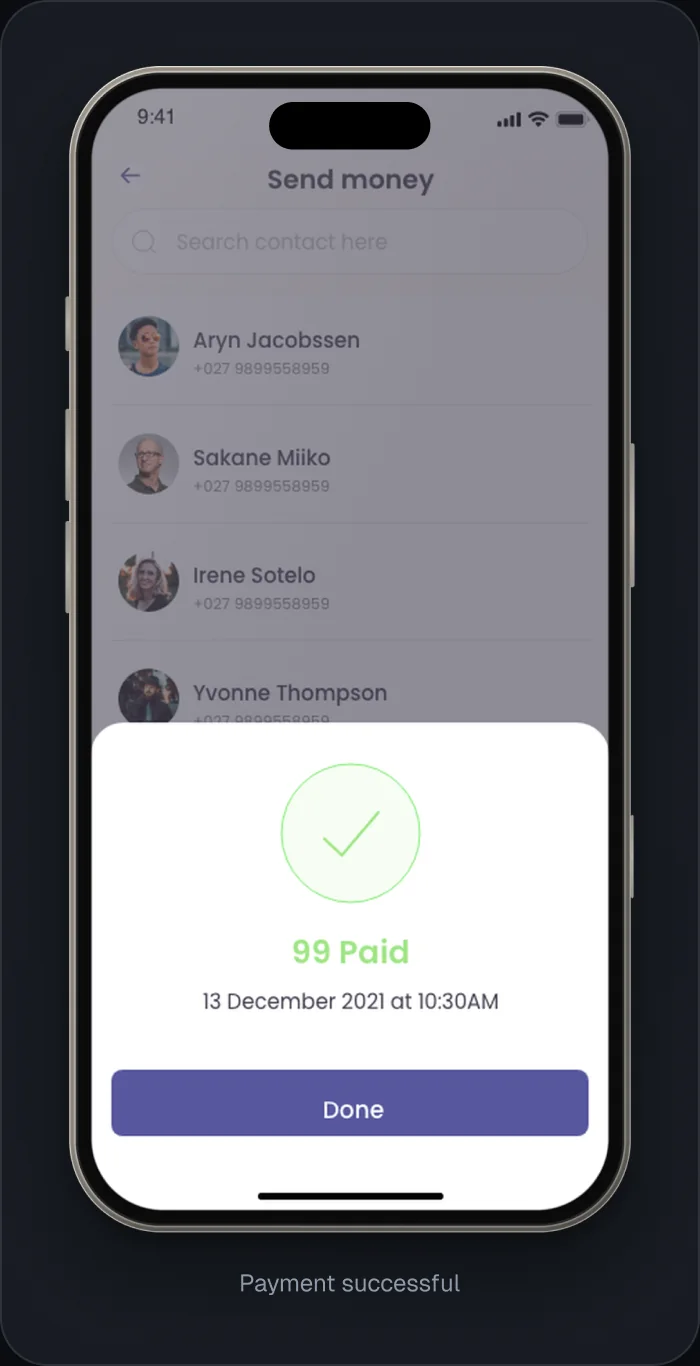
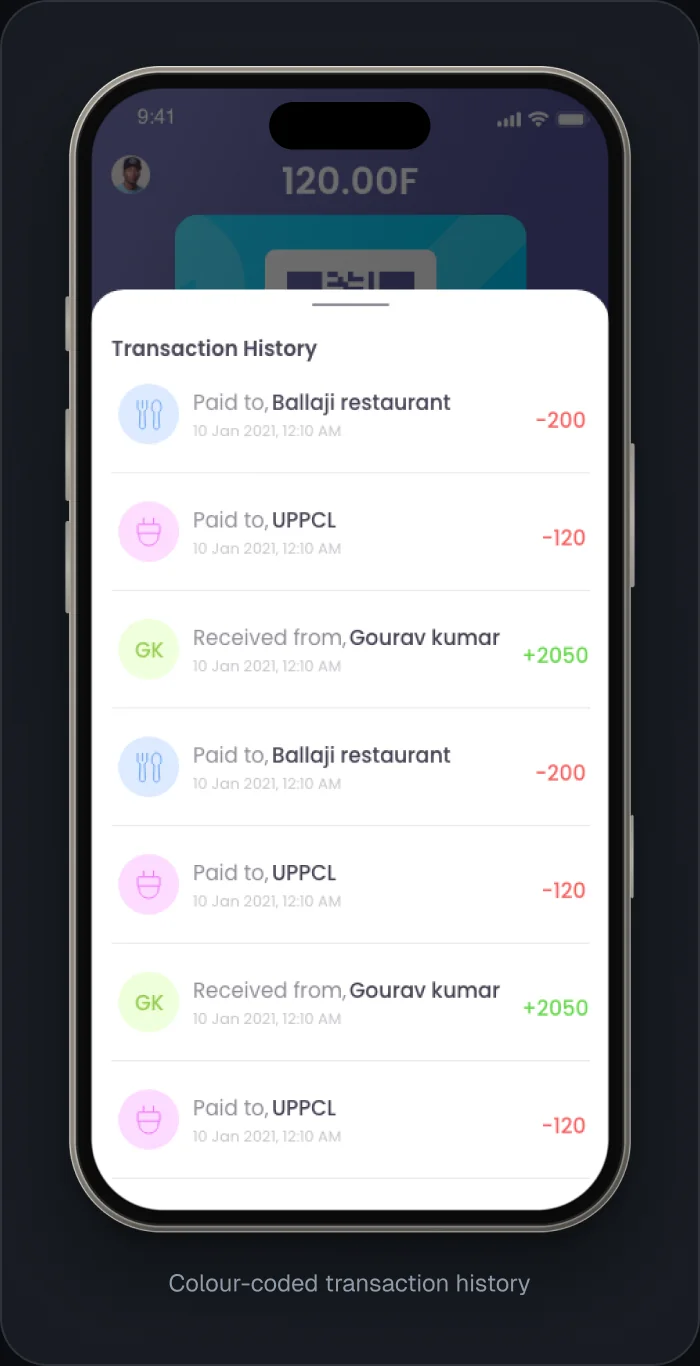
- Every transaction ends on a clear success or failed screen showing the amount and time. Transaction history is colour-coded: green for money in, red for money out.
- Why
- The user is never left guessing, and can read their whole money story at a glance.

I didn’t just design the happy path. I designed the states most apps forget.
- ID under review: after signup, while the ID is being verified
- Sign-up ID rejected: a clear re-upload flow so the user can fix it and continue
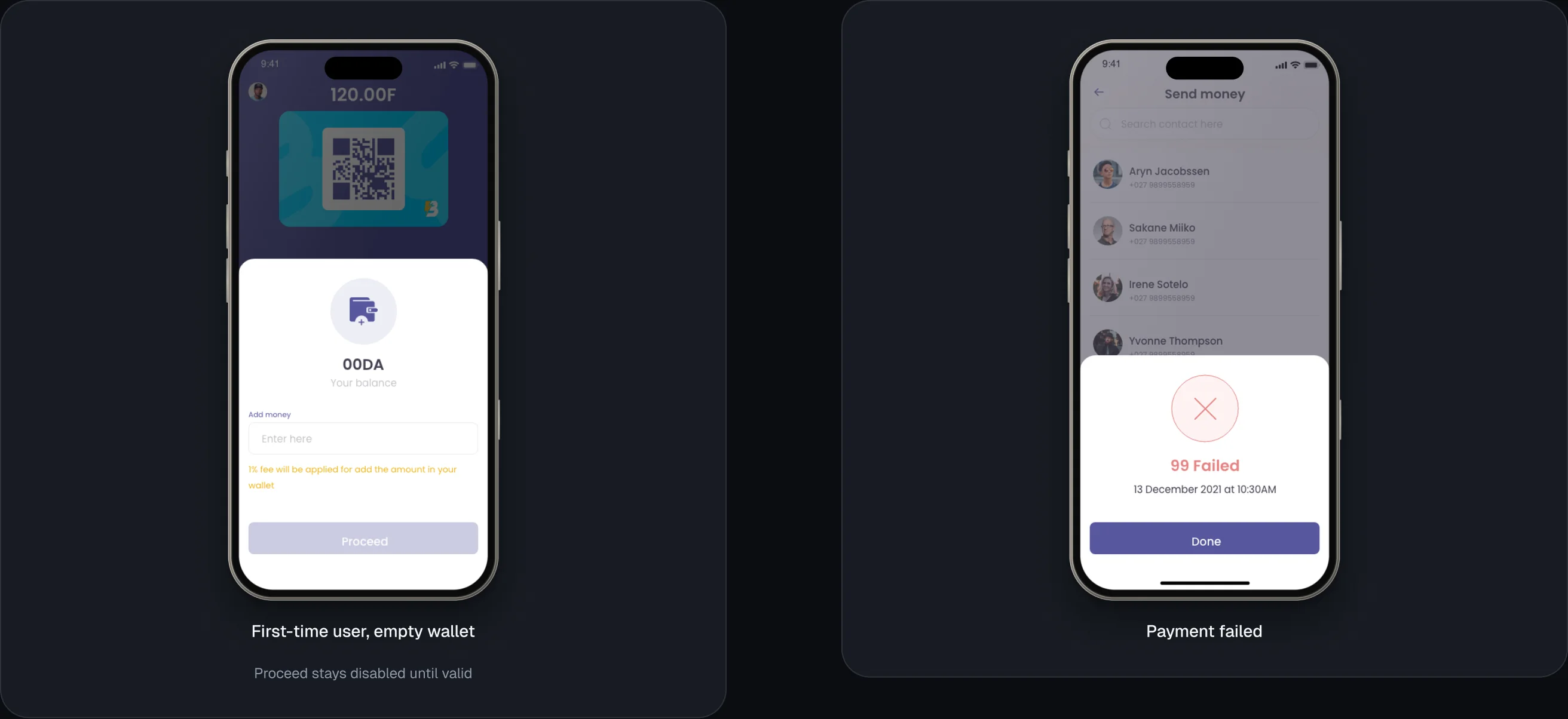
- First-time user, empty wallet: a helpful empty state instead of a blank screen
- Payment failed: a clear, reassuring failure screen, not a dead end
- Disabled buttons: the action button stays disabled until the input is valid, so users can’t submit half-filled or broken information
In fintech these edge states aren’t optional. They’re where trust is won or lost.


Blink launched in 2022 and the client was happy with it.
The app was built, deployed and went live in Algeria, and the client was very happy with the result.

In fintech, clarity isn’t a nice-to-have. It’s the product.
Money matters to everyone, so information has to be unmistakable and can never be compromised. Visual polish helps an app not feel boring, but it has to stay elegant and restrained, never getting in the way of the numbers.
Designing for Algeria taught me something bigger: money pain points are universal. The frustrations people have around money in India show up in Algeria too. Once I saw that, I could design with real empathy for users in a market I’d never lived in.

Open to UI/UX & product design roles