Overview
Samsung Parts USA
I designed Samsung Parts USA, a store for genuine Samsung replacement parts that had to feel like Samsung’s own website.
- Role
- Sole UX/UI designer, end to end, with feedback from my creative head
- Client
- Encompass, with Samsung reviewing and approving
- Timeline
- About 2 months, first concepts to Samsung sign-off
- Platform
- Responsive web, desktop and mobile
- Scope
- Homepage, search, collection and model pages, product page, exploded view, mobile
I was the sole designer, and Samsung approved the design in about two months.

Samsung owners struggled to get replacement parts, and Encompass’s old website made it hard to tell which parts were in stock.
- Service-centre dependence: owners usually had to visit a service centre to get a part.
- Unclear stock: the previous site didn’t show clearly what Encompass sold.
- Confusing identifiers: parts go by codes like DA97-13415A that most owners have never seen.
- Many categories: parts span kitchen, laundry, living room, office and accessories, each with many appliances and models.
Goal: help an owner find the right part for their exact model fast, and feel sure it fits before paying.
The design had to pass Samsung’s own review, so the brand rules were fixed from day one.
- Follow Samsung’s brand guidelines and use Samsung’s fonts, going nowhere beyond them.
- Keep Encompass branding low-key, in the footer only.
- Present the work to Samsung directly and win their sign-off.
- Sell parts only, not appliances, so every screen serves a repair job.
Samsung’s website is built to sell new launches, but a parts shopper arrives with a broken appliance and one question: which part do I need?
So I adopted Samsung’s design language, its card layouts, type and spacing, so the store felt native to the brand. Then I rebuilt the experience around finding, not browsing. Samsung’s look on a search-first structure shaped every screen that followed.
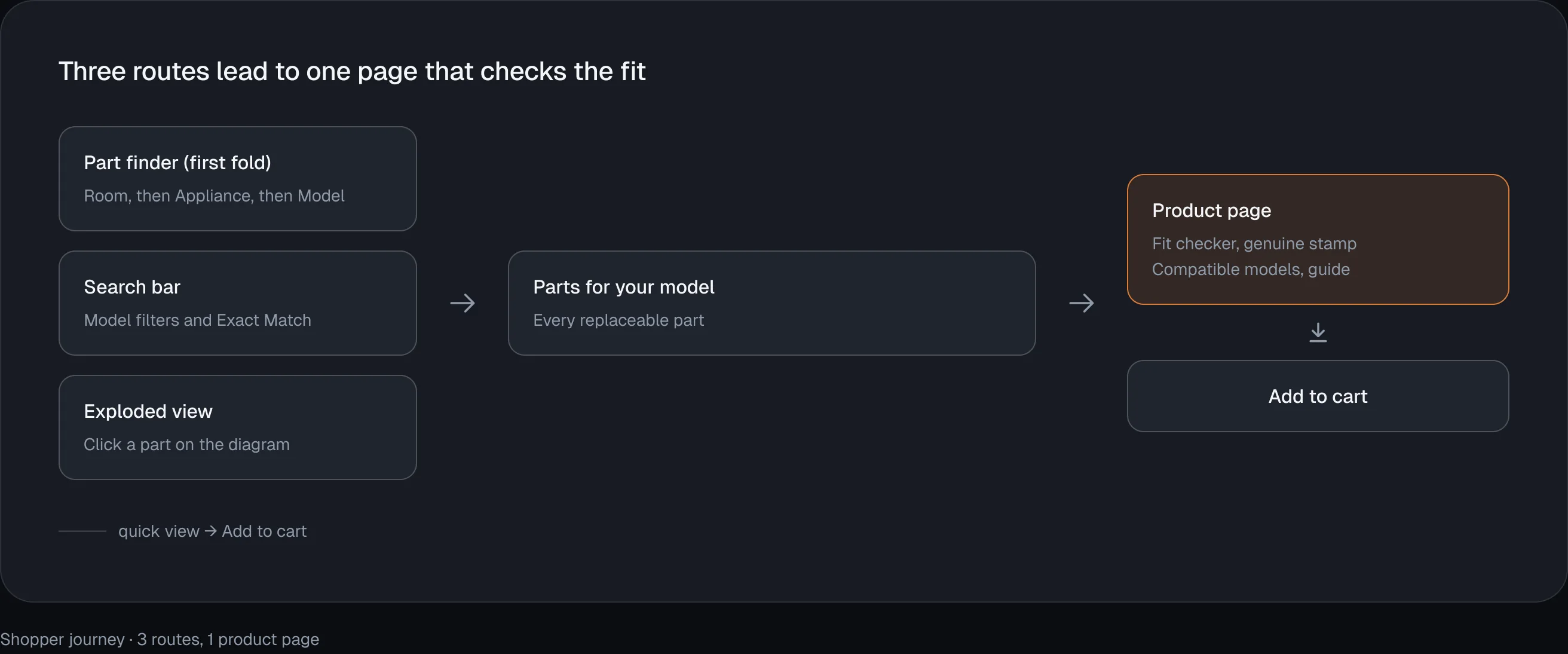
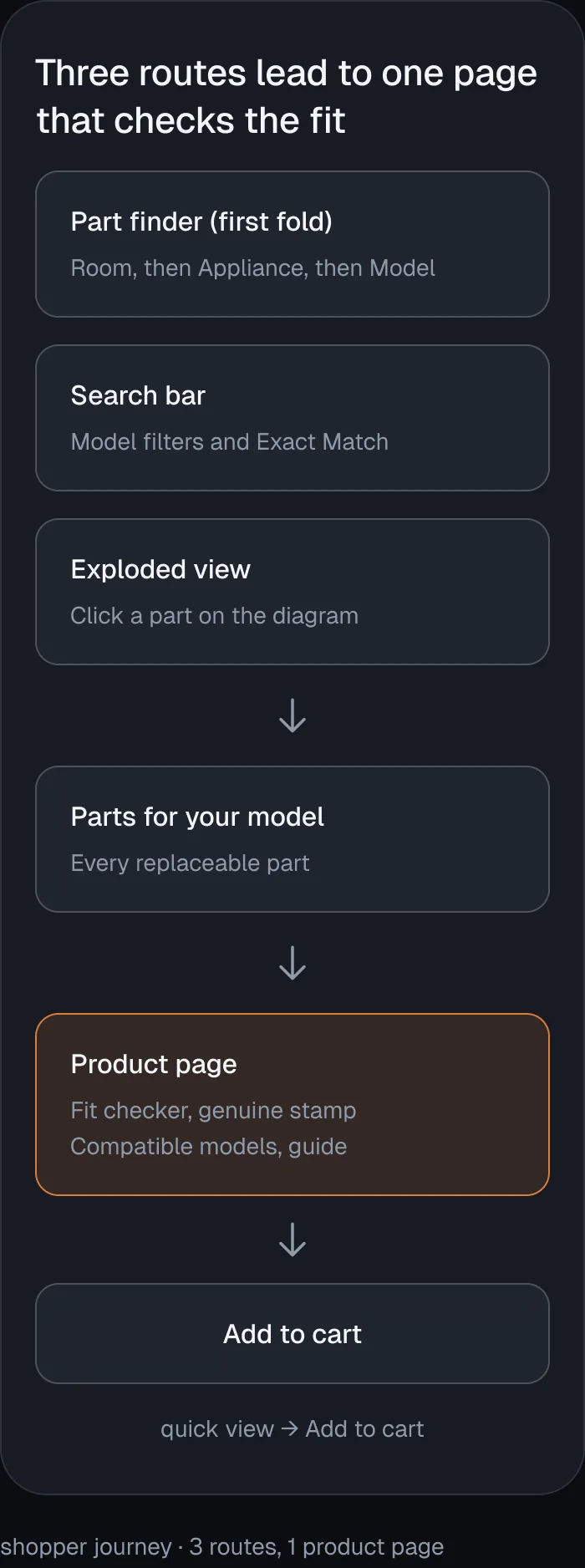
Whichever route a shopper takes, they land on parts for their exact model, and the product page confirms the fit before checkout.
No shopper should have to hunt for a way to search, so I gave them three routes to a part and a search box at every step.
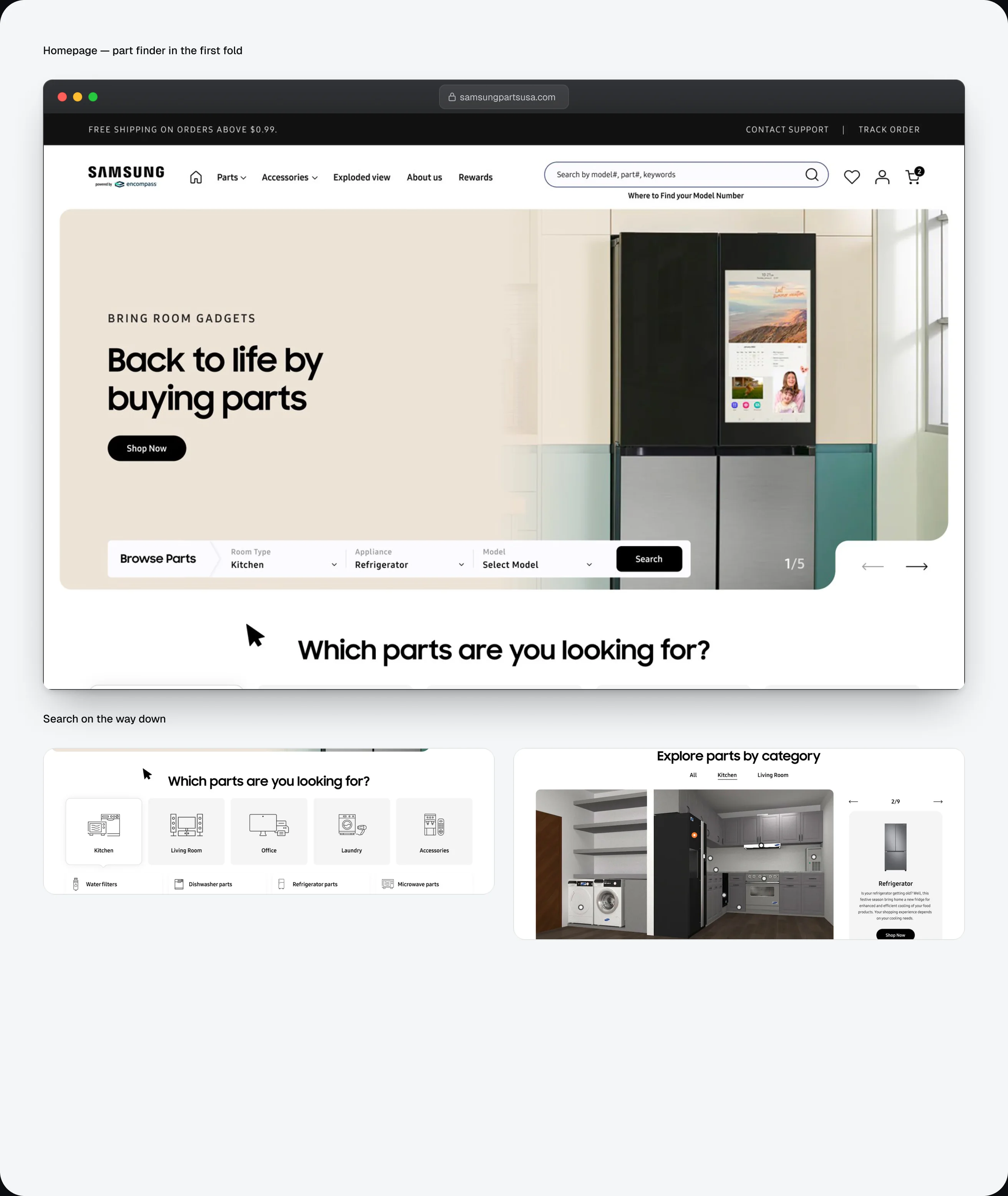
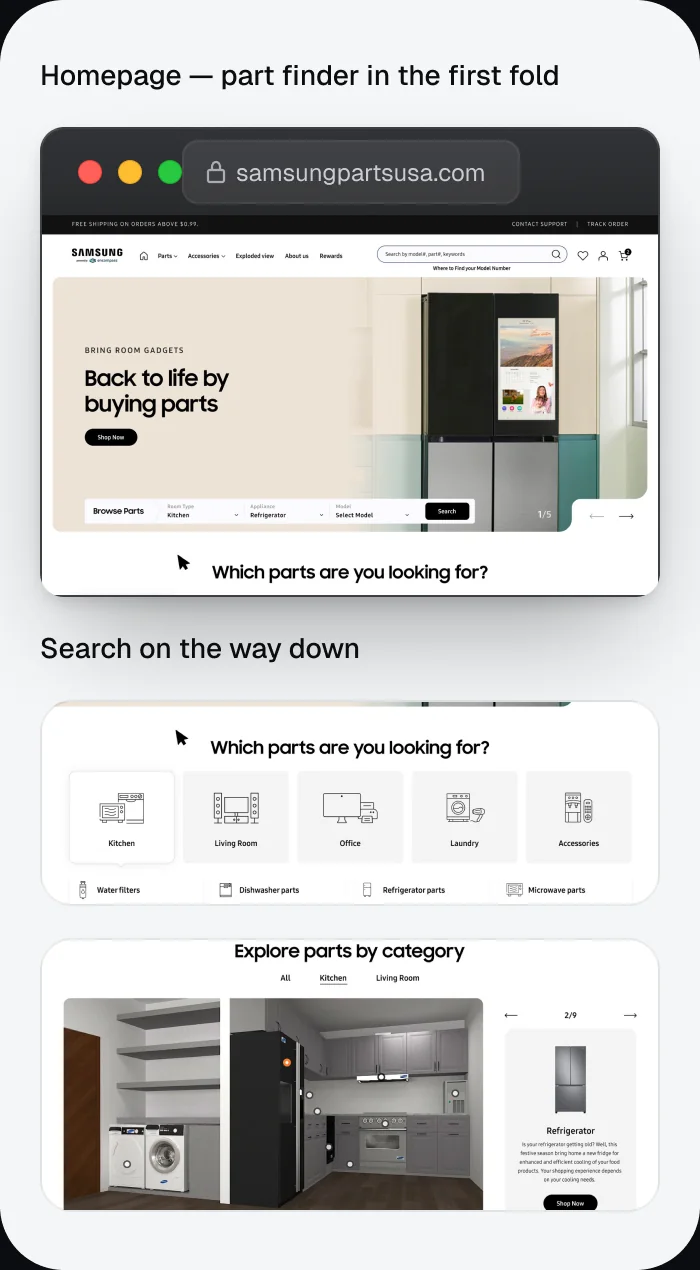
- Part finder in the first fold: Room, then Appliance, then Model, landing on every replaceable part for that model. This was my addition; Samsung’s own homepage leads with products.
- Search on the way down: two to three search entry points repeat through the homepage scroll, so nobody scrolls back up.
- Search built for parts shoppers:
- Recent searches saved as removable chips, with Delete all
- Recommended products before you type
- Results grouped into Products, Collections and Blog
- Filter by Model chips, with a Skip filter option
- An Exact Match badge on the result that matches the query
- Suggestions for partial and run-together queries, such as “ice mak” and “icemaker”
- Exploded view: For owners who don’t know a part’s name. They search by model number, or by Room, Appliance and Model, pick an assembly such as Cabinet or Freezer Door, then click the numbered part on the diagram to see it in the parts list with its price.
A wrong part means a return and an appliance that’s still broken, so the product page answers “will this fit?” before “buy”.
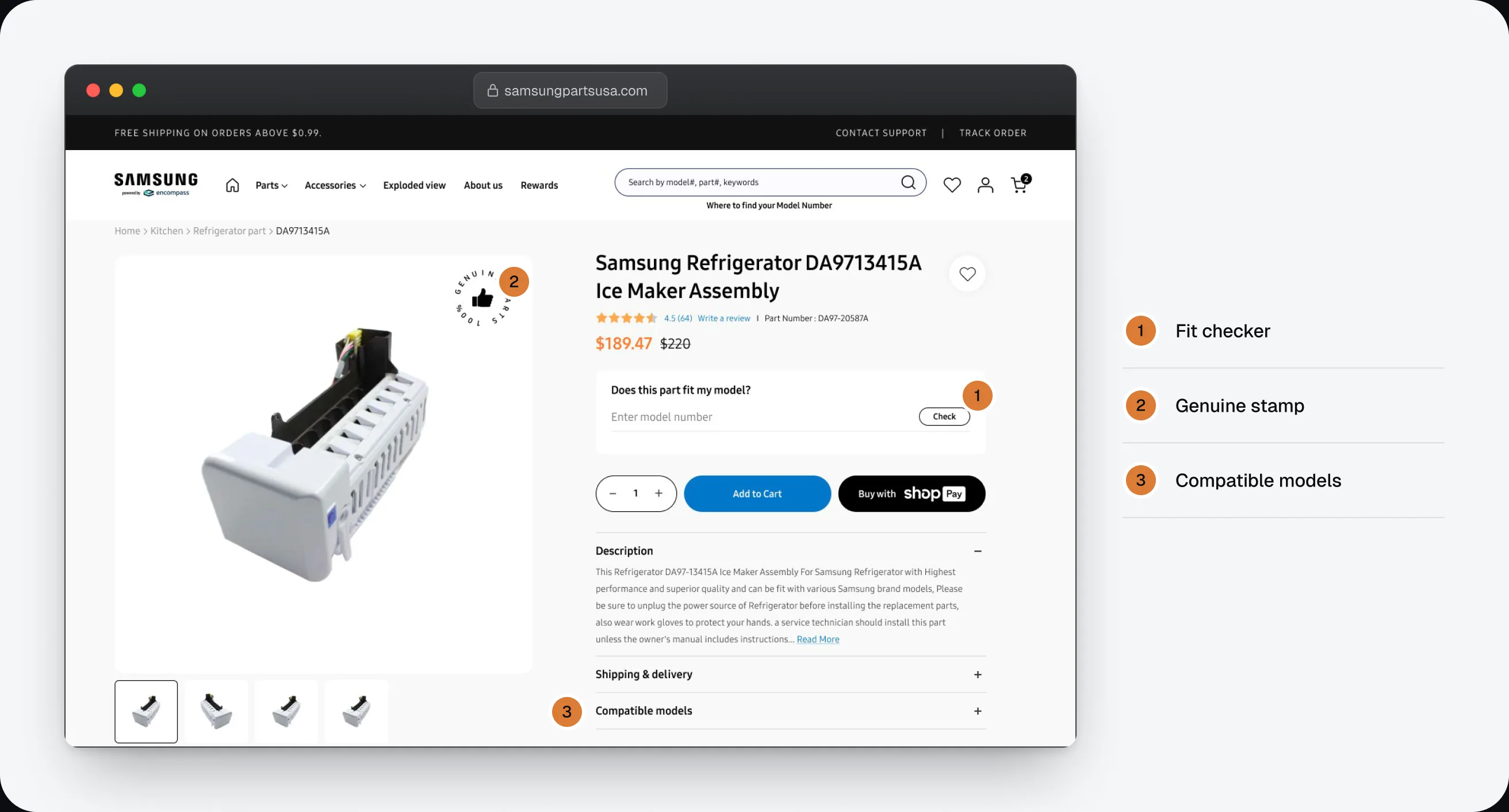
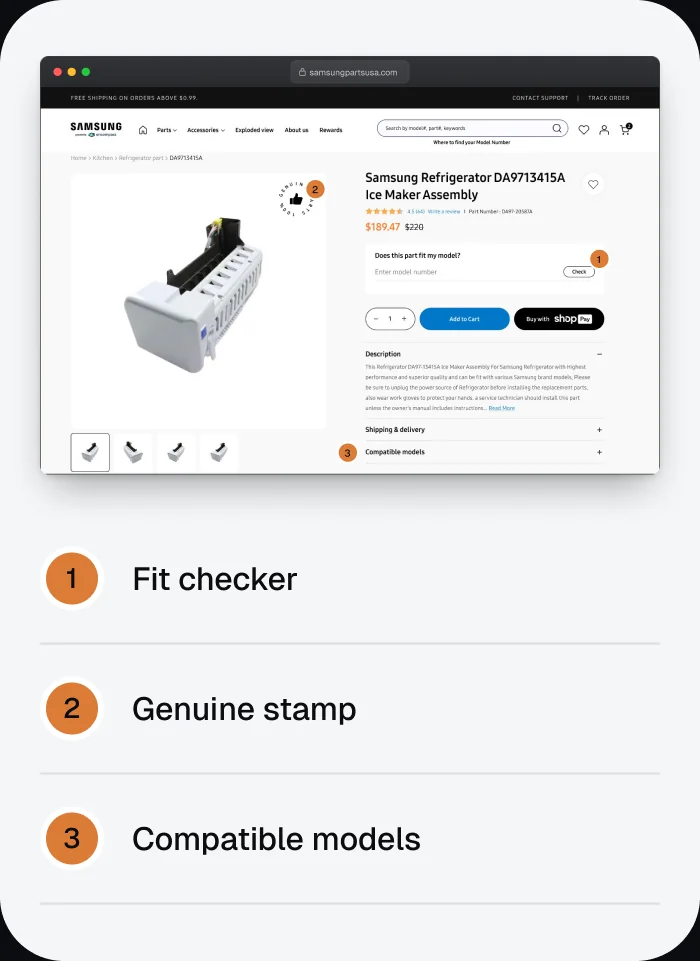
- Fit checker: a “Does this part fit my model?” field sits right under the price.
- Genuine stamp: a genuine-part badge on the product image.
- Compatible models: listed in the product details.
- How to replace it: a guide section on the product page.
- Finish the repair in one order: Frequently bought together and More parts from same model.
- Quick view: part number, rating, price, quantity and Add to Cart in a popup, plus an Exploded View link, without leaving the results.
With many categories and models, structure had to do as much work as search.
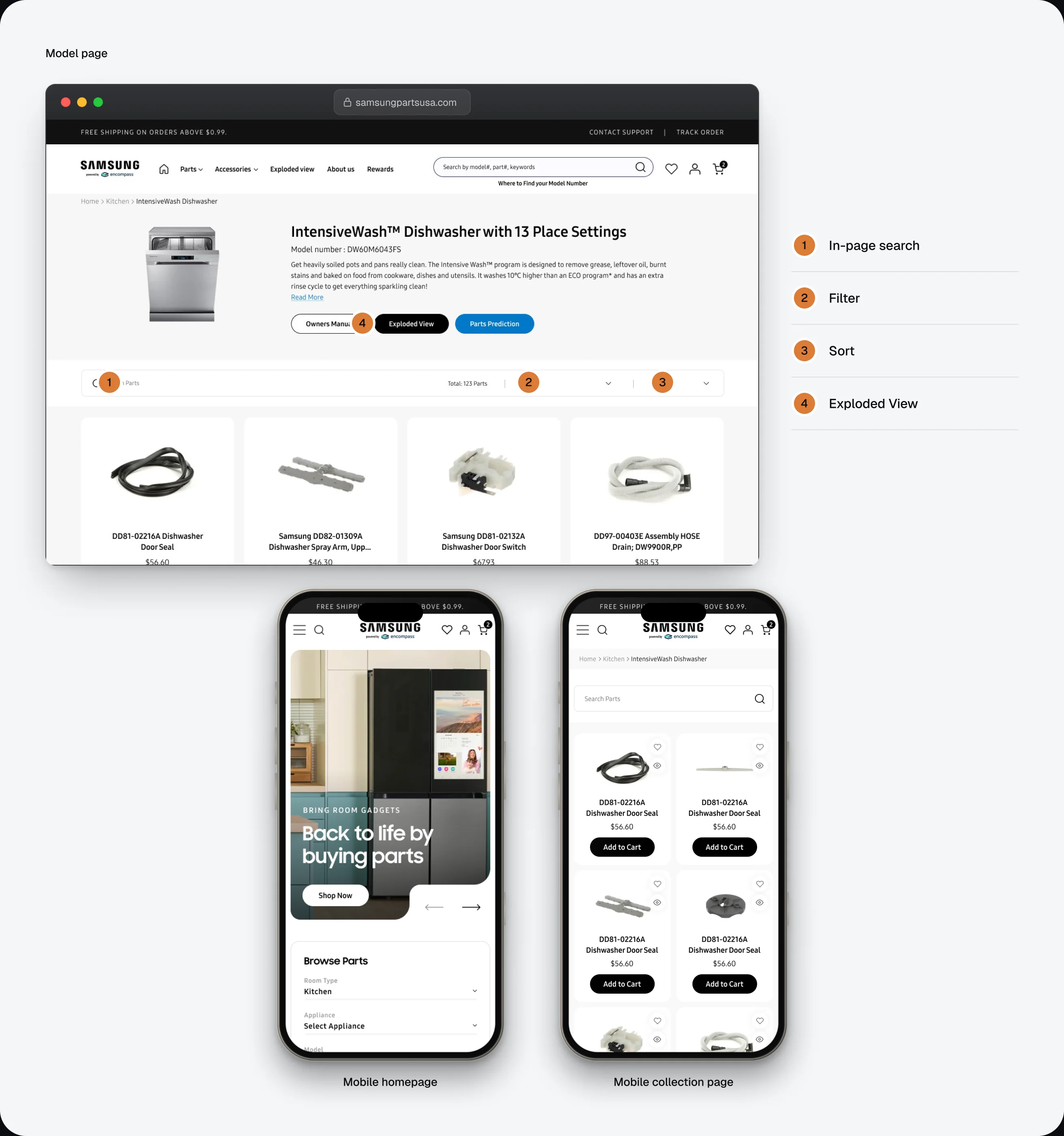
- Collection pages: category cards on top, tabs for All, Parts and Models, in-page search, Filter and Sort, a total parts count and pagination.
- Model pages: every part for one appliance model, with search and part-type filters.
- Loading state: a designed loader while results arrive, never a blank page.
- Mobile: a two-column card grid, a floating Filter and Sort pill, and filters in a bottom sheet.
- Shared components: product cards in desktop and mobile sizes, header, footer and badges, kept consistent across every screen.

Samsung approved the design in about two months, and Encompass asked me to bring the same approach to four more brands.
- Approved by Samsung after direct review meetings.
- Delivered in about 2 months, from first concepts to sign-off.
- The client was very happy at launch.
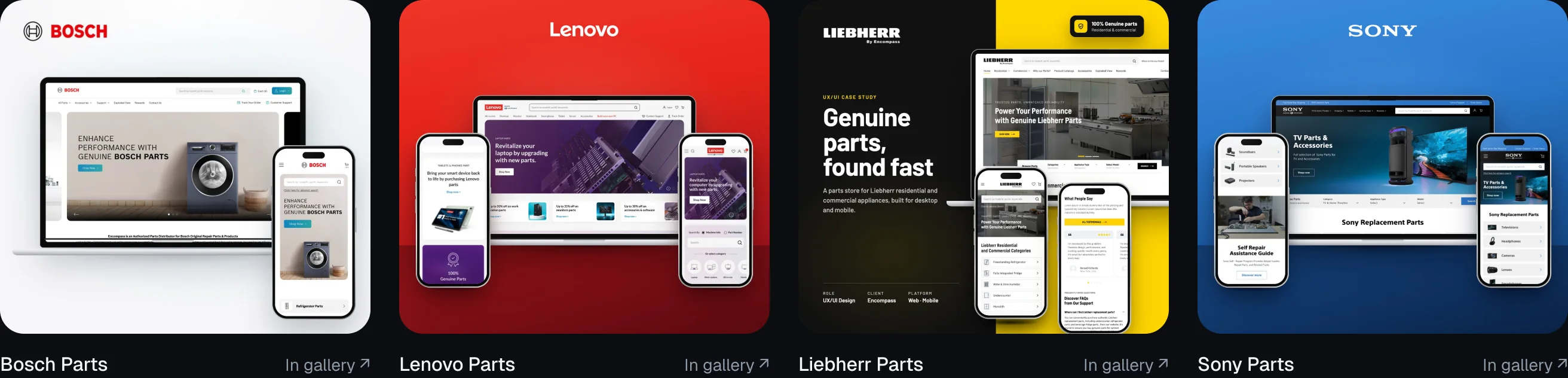
- It became a template: I went on to design Encompass’s Bosch, Lenovo, Liebherr and Sony parts stores using the same approach.
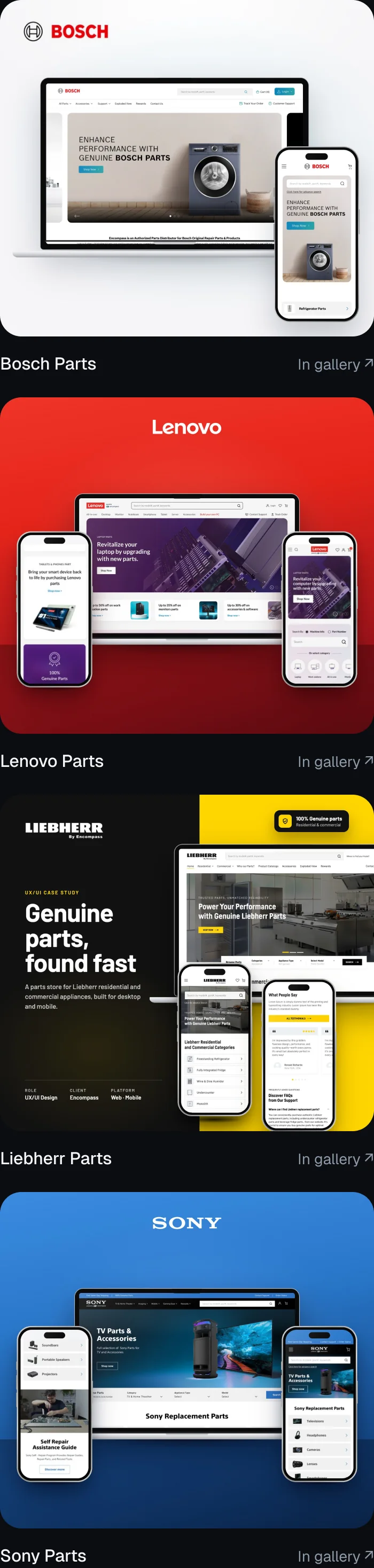
Designing inside another company’s brand means holding back on visual style.
The real design work moves to structure: how people find a part, and what reassures them before they pay. Success here was invisible, because shoppers simply felt they were on Samsung’s site.

Open to UI/UX & product design roles